WooCommerce Tracks Stock Per-Product.
Your Inventory Doesn't Work That Way.
If you sell the same physical blank — say, a Black Medium Gildan 64000 — across ten different product listings, WooCommerce treats each one as completely independent inventory. Sell one on Listing A, and Listing B still shows it in stock. Sell out on Listing B, and Listing A doesn't know. The result: overselling, customer refunds, and hours of manual stock juggling.
One Blank. One Stock Number. Every Listing.
SlickStock introduces the concept of a blank — a single physical inventory item that can be shared by any number of product variations across any number of listings. Change the stock on the blank once, and every linked variation across every product reflects it instantly.
See It in Action
Real screens from SlickStock running inside WooCommerce.
Download SlickStock Lite
Free to download. No account required. Install in minutes and start scanning your product catalog.
⬇ Download slickstock-lite-for-woocommerce-v1.0.0.zipReady for Full Sync? Upgrade to SlickStock Pro.
Lite shows you the problem. Pro fixes it completely — with live order hooks that automatically reduce shared stock on every sale, push quantities to all linked variations in real time, and a full suite of management tools.
Everything SlickStock Does
Features marked Pro are available in SlickStock Pro only. All other features are in the free Lite version.
Product Scanner
Scans all variable products and automatically discovers shared blanks by matching color, size, and model attributes. Works with both custom and taxonomy-based attributes — no configuration needed.
Stock Table
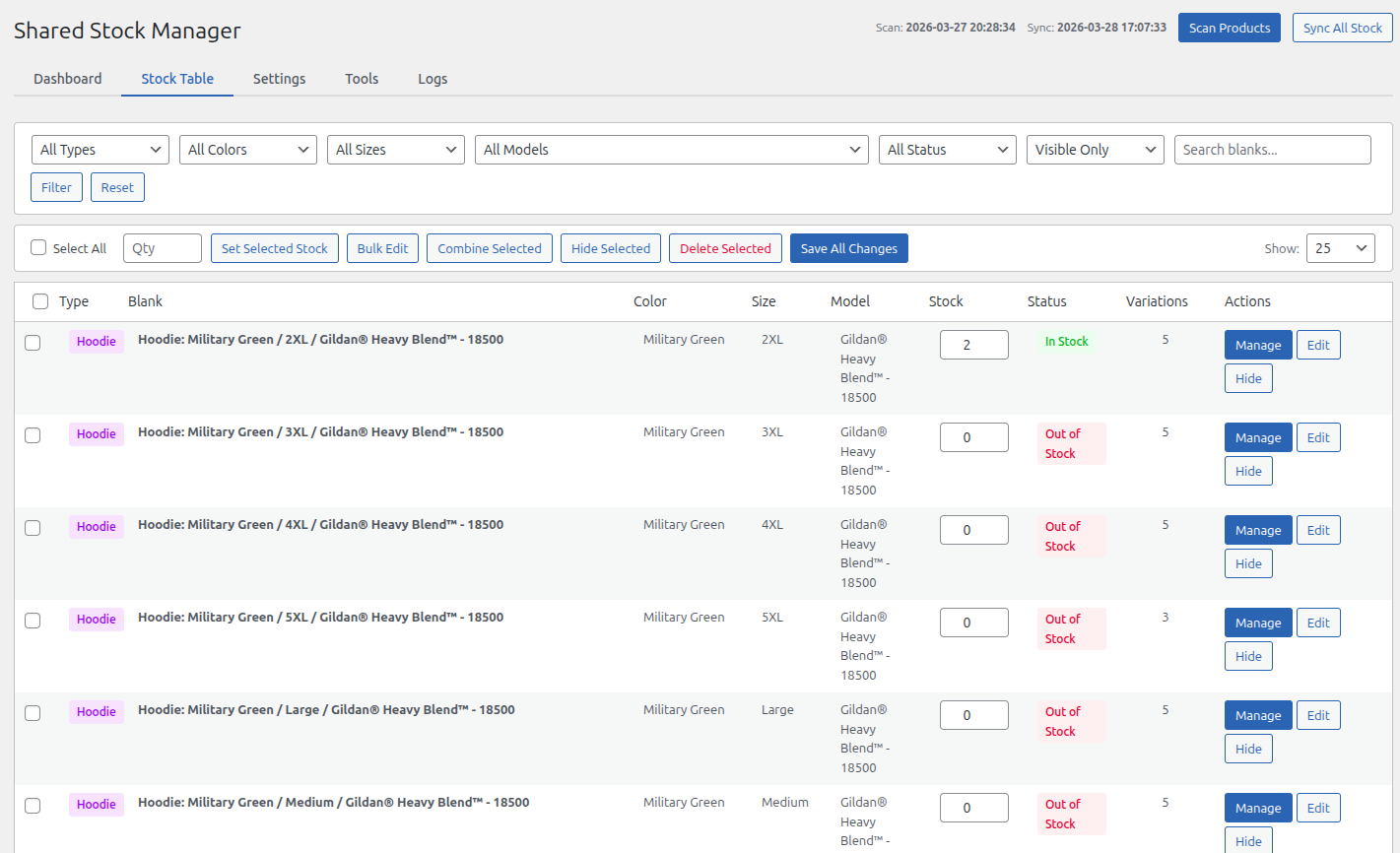
Paginated, sortable table of all blanks. Filter by type, color, size, model, stock status, and hidden state. Includes free-text search and empty attribute filters.
Basic Dashboard
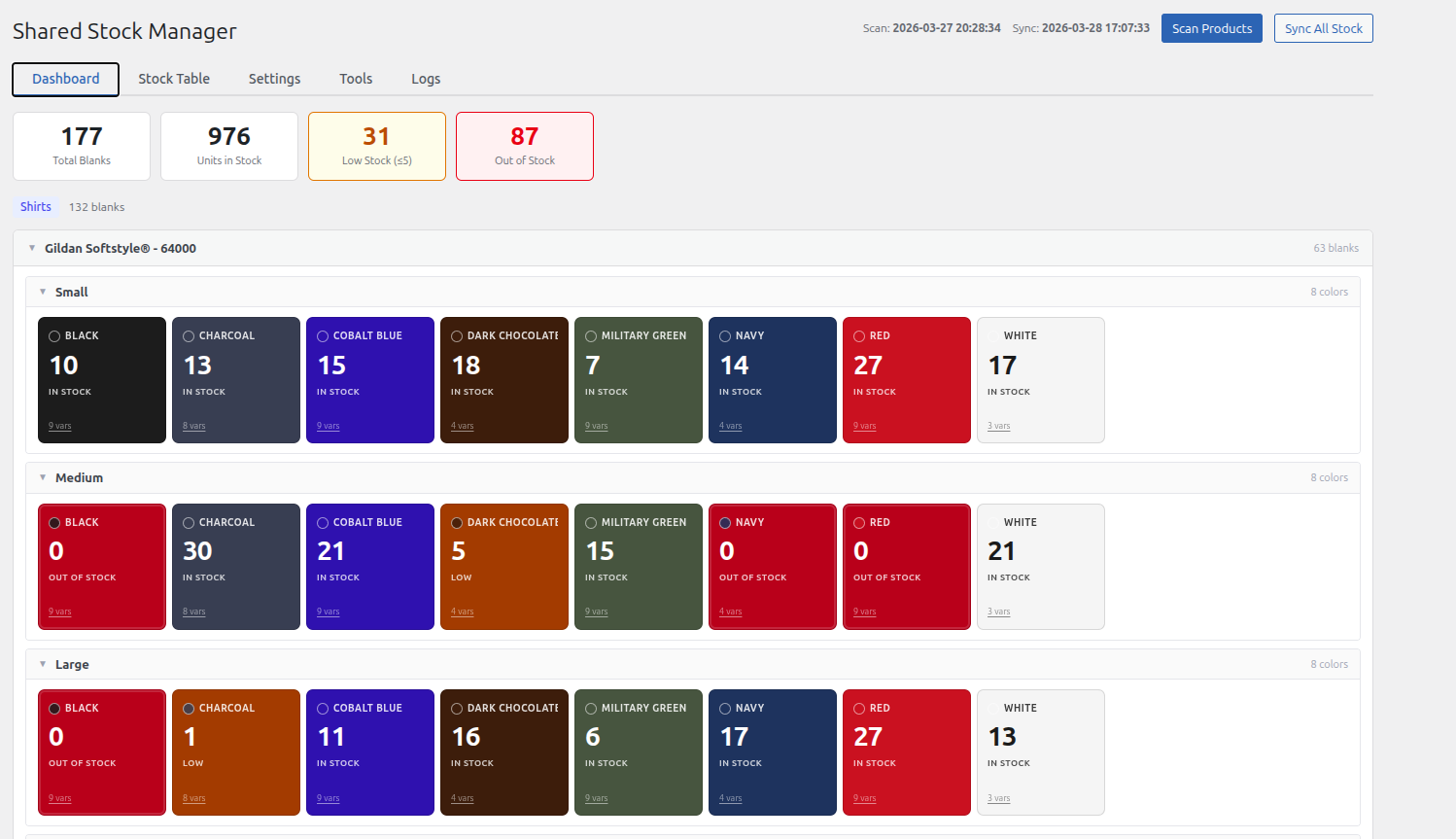
Summary bar showing total blanks, total units, low-stock count, and out-of-stock count. Simple card grid grouped by blank type with low-stock highlighting.
Live Stock Sync Pro
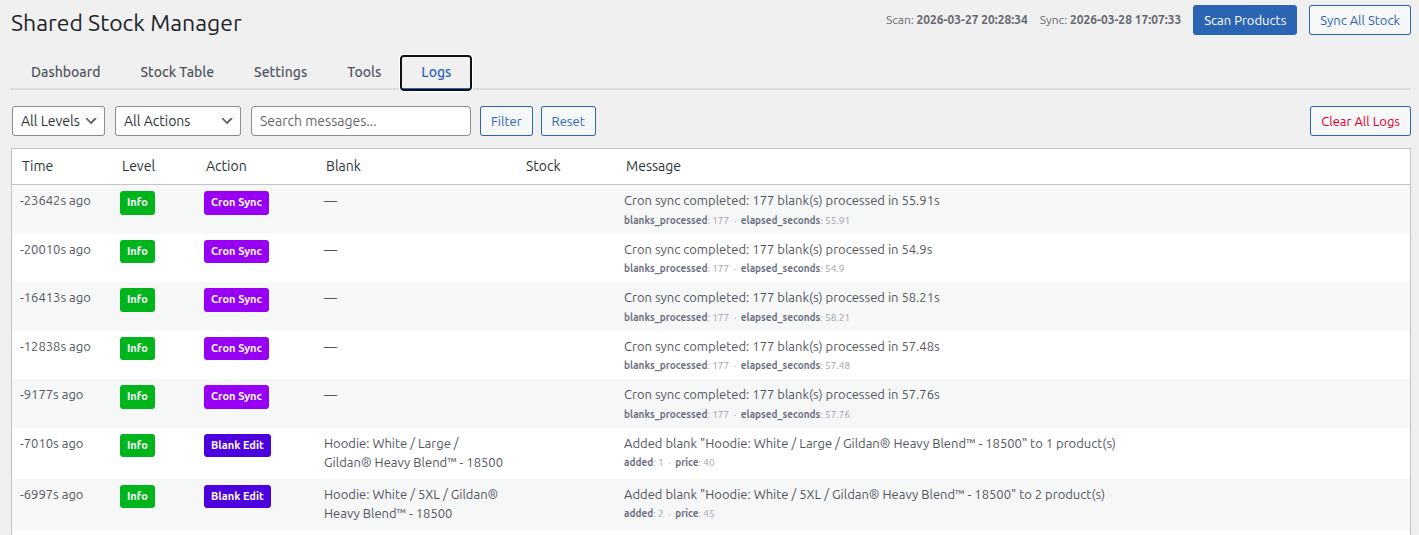
Hooks into WooCommerce order events — reduce stock on sale, restore on cancellation or refund, sync on payment complete. Automatic hourly full-sync cron job as a safety net.
Color-Coded Dashboard Pro
Flat card grid where each card is colored by the blank's actual color with a large stock number. Cards turn amber at low-stock threshold and red when out of stock.
Tree View Pro
Grouped hierarchy view: Model → Size → Color with collapsible sections, compact color-swatch tiles, and inline stock editing. Configurable per product type.
Inline Stock Editing Pro
Click any stock number to edit it inline — directly in the dashboard or stock table. Save All Changes writes back to every linked WooCommerce variation at once.
Bulk Edit Pro
Select multiple rows, open a modal, and fill in only the fields you want to change across all selected blanks. Bulk set stock, bulk hide/restore, and bulk delete with linked variation cleanup.
Blank Manager Pro
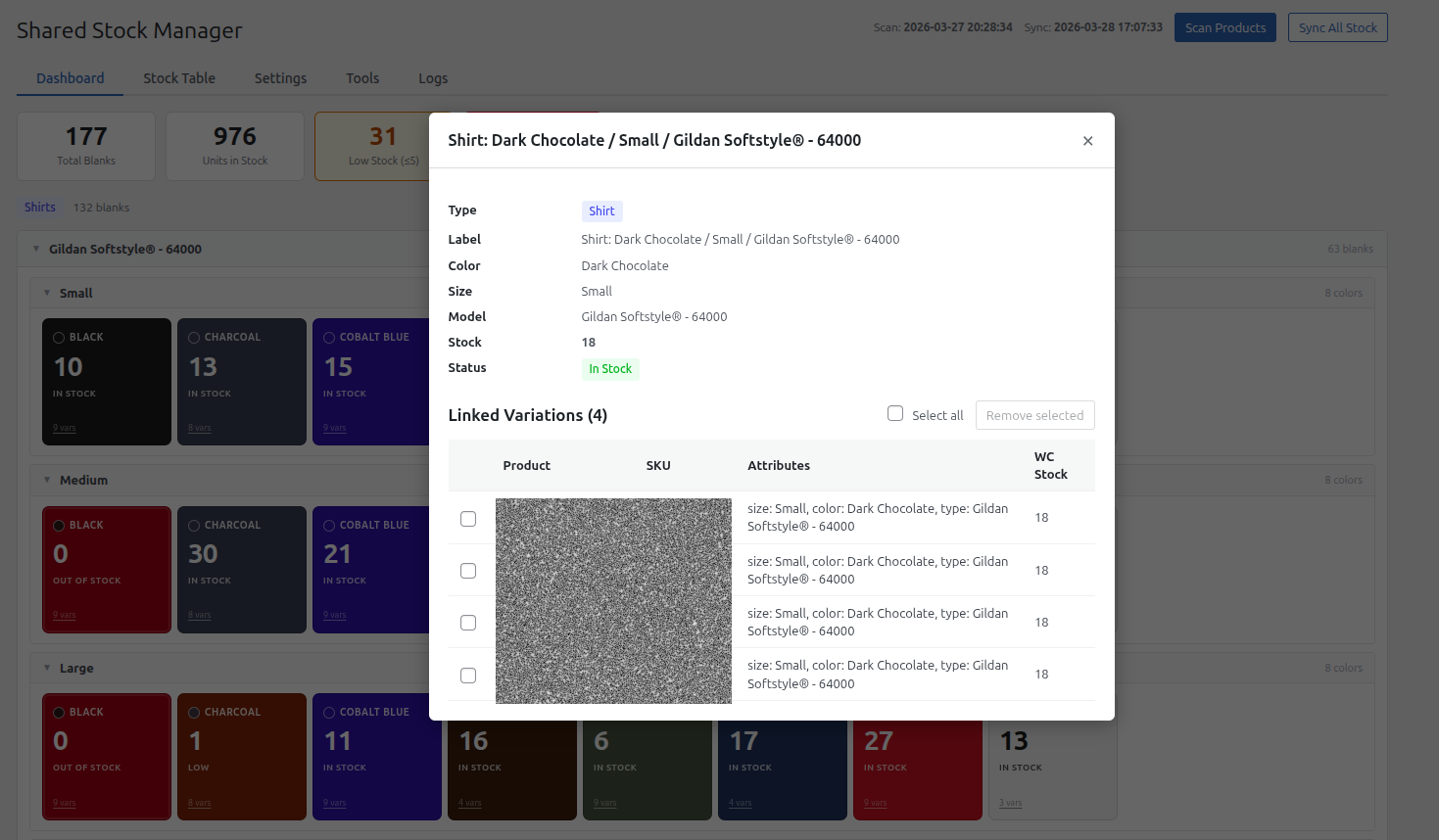
Edit blank attributes and write changes back to every linked variation. Combine two blanks into one. View the full linked variation detail with SKU, attributes, and WooCommerce stock.
Pricing Tools Pro
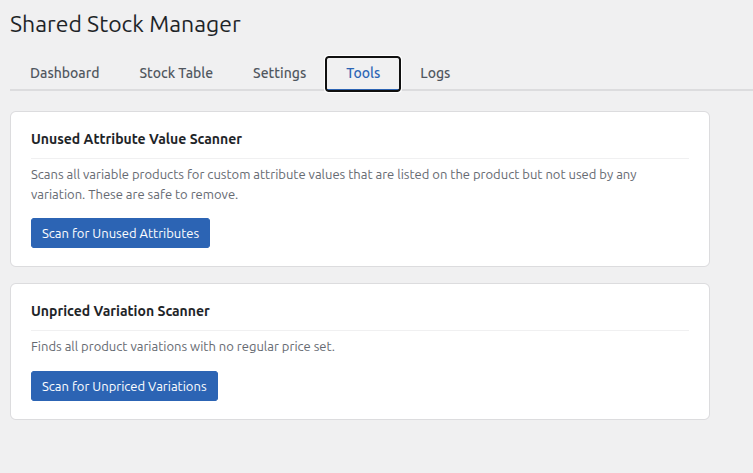
Unpriced variation scanner finds all published variations with no price set. Select any subset and set a price across all of them in bulk. Unused attribute scanner included.
Activity Log Pro
Full audit trail of every stock change, sync event, and manual edit. See exactly what changed, when, and why — invaluable for troubleshooting inventory discrepancies.
Settings & Thresholds
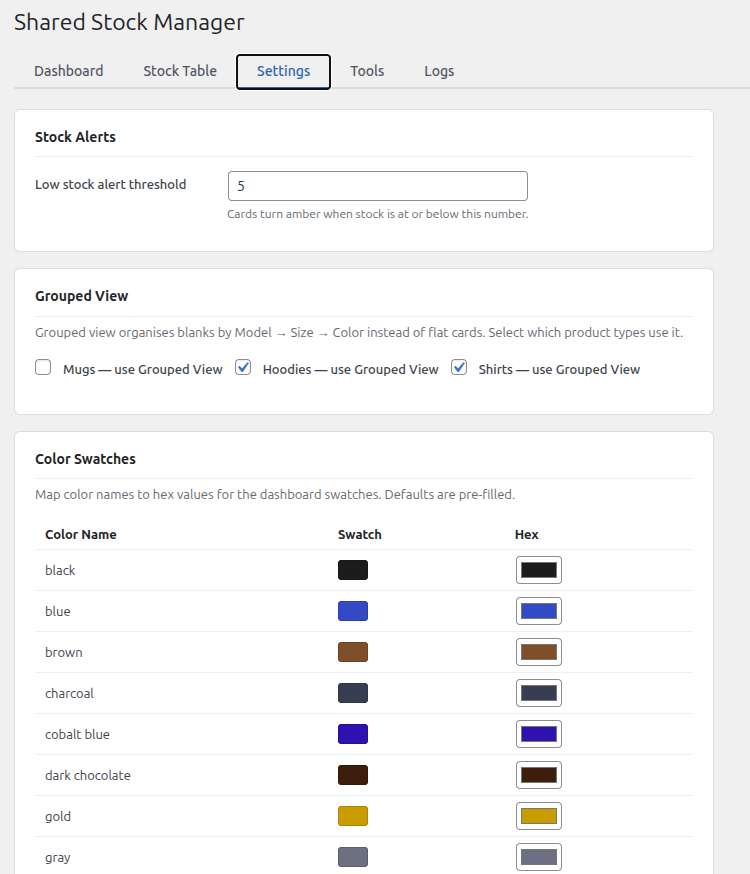
Set your low-stock alert threshold. Configure which product types use grouped vs flat view. Map color names to hex values with a live color picker for accurate swatches.
Lite vs Pro
Lite is free forever — it's a full read-only dashboard. Pro adds write capabilities, live sync, and advanced management tools.
| Feature | Lite — Free | Pro — Coming Soon |
|---|---|---|
| Core | ||
| Product scanner (detect blanks) | ✓ | ✓ |
| Stock table with filters | ✓ | ✓ |
| Basic card dashboard | ✓ | ✓ |
| Low-stock alert threshold setting | ✓ | ✓ |
| Stock Sync | ||
| Order hook — reduce stock on sale | — | ✓ |
| Restore stock on cancel / refund | — | ✓ |
| Push stock to all linked variations | — | ✓ |
| Hourly cron full-sync safety net | — | ✓ |
| Inline stock editing | — | ✓ |
| Dashboard & Views | ||
| Color-coded card tiles (blank color) | — | ✓ |
| Tree view (Model → Size → Color) | — | ✓ |
| Color swatch map with hex picker | — | ✓ |
| Bulk Operations | ||
| Bulk edit (type, color, size, model, stock) | — | ✓ |
| Bulk set stock quantity | — | ✓ |
| Bulk hide / restore blanks | — | ✓ |
| Bulk delete blanks + linked variations | — | ✓ |
| Blank Management | ||
| Edit blank attributes + write-back to variations | — | ✓ |
| Combine / merge blanks | — | ✓ |
| Linked variation detail view | — | ✓ |
| Tools | ||
| Unpriced variation scanner | — | ✓ |
| Unused attribute value scanner | — | ✓ |
| Activity log | — | ✓ |
| Pricing | ||
| Price | Free | Coming Soon |
System Requirements
WordPress
WooCommerce
PHP
Installation Guide
Download the Plugin
Download slickstock-lite-for-woocommerce-v1.0.0.zip using the button below. No account required.
Upload to WordPress
Go to Plugins → Add New → Upload Plugin in your WordPress admin and upload the zip file. Or extract and upload the slickstock-lite-for-woocommerce folder to /wp-content/plugins/ via FTP.
Activate the Plugin
Navigate to Plugins → Installed Plugins and click Activate next to SlickStock Lite. Two database tables will be created automatically on activation.
Open SlickStock
Navigate to WooCommerce → Shared Stock (Lite) in your WordPress admin.
Scan Your Products
Click Scan Products to discover all your blanks. SlickStock will scan every variable product and map all variations to shared blank records based on their color, size, and model attributes.
Attribute Detection
SlickStock identifies blank attributes by scanning variation meta keys using broad keyword matching — no manual configuration required.
Ready to Install?
Download SlickStock Lite and get started in minutes. Free forever.
⬇ Download slickstock-lite-for-woocommerce-v1.0.0.zipFrequently Asked Questions
ssl_ prefix (ssl_blank_stock and ssl_blank_variation_map). Pro uses the ss_ prefix. There is no shared data between the two editions.
attribute_color) and taxonomy-based attributes (like attribute_pa_hoodie-color) without any configuration. Taxonomy attribute values are resolved from their stored slugs to display names automatically. As long as your attribute keys contain the words "color", "size", "model", "brand", "type", "style", or "blank", SlickStock will pick them up.